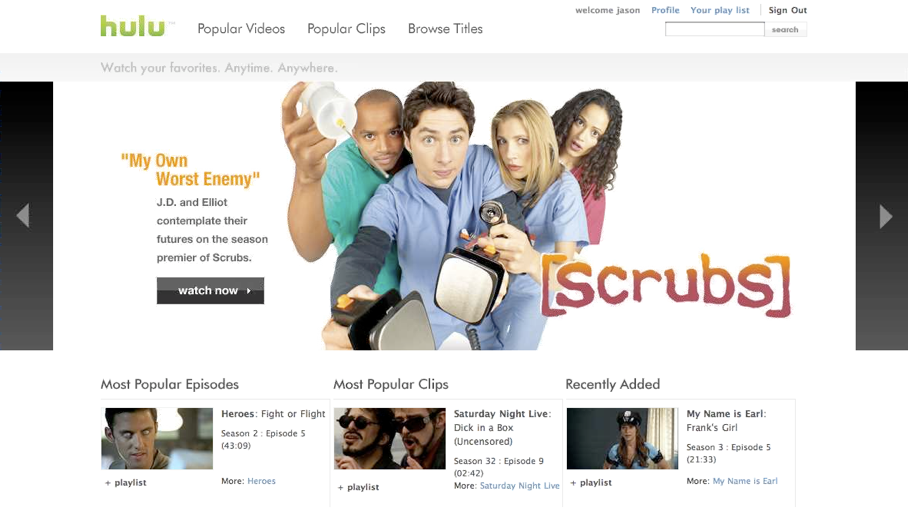
Hulu's flexible options allow general users and websites to distribute premium videos through their own framework. Whether you're a major portal, social network, video site, fan site, blogger, or search engine, Hulu scales its service to deliver content everywhere, offering solutions for individual users or sites with basic, medium and advanced technical capabilities.
Consumer Product Options
Player Embeds|
Widget Embeds|
Personal Widget
Webmaster Product Options
Search Feed|
Player Embeds with Directory|
Video Panel Embeds|
Media Feed
For typical Hulu users who want to share content on their personal websites, social networking profiles or blogs, Hulu's Player Embeds play a single video and are easily inserted on to any web page. Users can grab a video's embed code while watching on Hulu.com or from a distribution partner's site and add the code to their own sites or social network profiles to share with friends.
For users who like gadgets, Hulu's Widgets are configurable and embeddable, and provide access to Hulu's content library or selectable
portions of it. Basic widgets link back to Hulu.com when a user selects a video. For video playback directly from the widget itself
on the embedded site, choose the Advanced Widget embed code (note the increased Javascript requirements). Widgets can be placed on
virtually any blog or social networking site, or stand alone on your desktop.
To build a widget embed click here
The Hulu Personal Widget lets you watch Hulu videos directly from the widget from iGoogle, Vista Sidebar, Apple Dashboard, Netvibes, PageFlakes, WebWag,
Piczo, and Hoverspot. It also makes it easy to view your queue and track featured, recently added and most popular videos on Hulu from your desktop, personal home page and social networking sites. From the widget, you can add items to
your queue, post them to your blog or favorite social networking sites, or email them to your friends.
To build a personal widget click here
Hulu provides webmasters the ability to index the Hulu.com site and send their users to the appropriate show pages on Hulu.com using
a convenient site-mapping tool.
Hulu provides webmasters and editors the ability to quickly find and contextually place individual videos. Editors can use Hulu-provided
tools to identify videos and embed the video in the most relevant section of their site.
Video Panels are easy-to-use embeddable widgets that allow simple content programming and include a player that is easily integrated into
your site. Because these integrations are self-contained and do not require technology to ingest or process any feeds, a content management
system (CMS) is not necessary, and there is no need to manage content expirations. Video Panels can be configured for specific shows, genres,
networks or type of media (e.g. clips, full episodes or movies).You can also configure their appearance — size, layout and colors.
Site managers can also place the player in a location of their choice.
Try the Video Panel Designer in our labs section
With a structured relationship, Hulu provides approved commercial sites with a Media Feed, an enhanced MRSS data feed of Hulu's
entire distributable library. The Media Feed enables custom content integration and flexible implementation, but with increased
technical requirements. To take advantage of Hulu's Media Feed, sites must be able to ingest the feed into a content management
system (CMS), program web pages to expose thumbnail images and metadata, and to surface the Hulu video player embed code provided.
Sites must also honor availability and expiration dates associated with individual content assets. Access to Hulu's reporting
portal is also provided with this option.
To inquire about this product, send email to distribution@hulu.com